

Verbleif consists of a web app and a mobile app that share the same system. You plan and track at your computer; you carry out the work on your phone, even when the network drops briefly. This article explains when to use which side and what to expect on each device.
What is this and why
Facility work at a park naturally splits: at a desk you keep overview and adjust plans; on the grounds you work property by property. Verbleif follows that split with two apps that show the same tasks, reports and properties.
The web app
You open the web app in your browser on a computer or tablet with a large screen. Here you mainly use Tasks, Reports and Properties to plan, filter, assign and keep overview. Setup work (users, permissions, location settings) also happens here if you have permission for it.
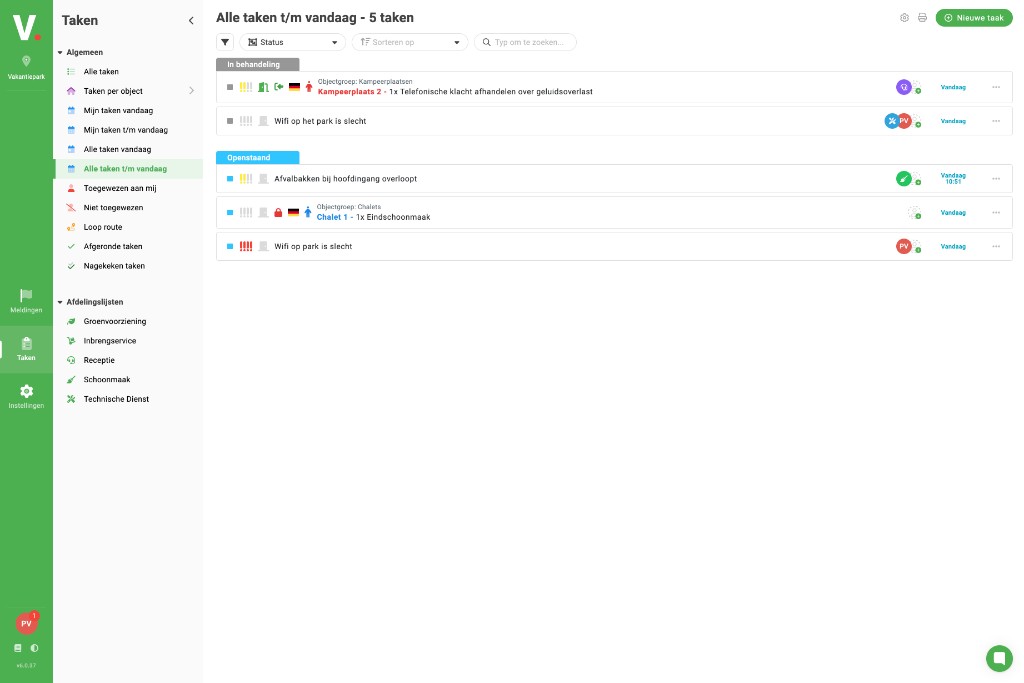
The mobile app
You install the mobile app on your iPhone or Android device. You open Tasks to do today's work, complete walk routes and update property statuses. The app is built for use on the move: large buttons, quick status changes and the camera for photos on a task.
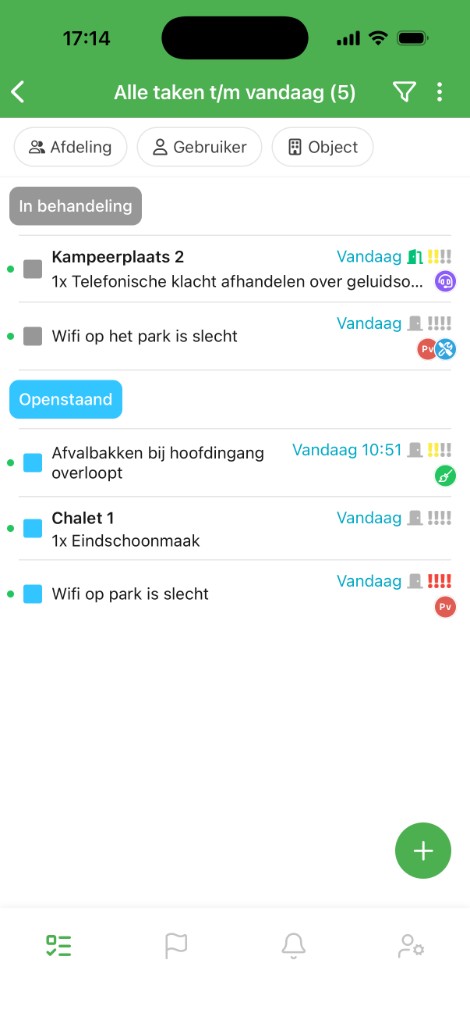
Offline and sync
On the grounds, wifi or mobile signal is not equally strong everywhere. The mobile app stores your tasks and properties locally so you can keep working without a connection. Once you are back online, Verbleif syncs your changes. Colleagues then see the updated status in the web app.
Good to know
Same account: You sign in to the web app and mobile app with the same email and password.
Choose location: After signing in you choose which park you work at. That choice applies separately in web and app.
Not everything on the phone: Some setup tasks are only available in the web app. That is intentional: on your phone Verbleif focuses on doing the work.
See also
What is Verbleif?
What Verbleif is and how the web app and mobile app work together.
What can you do?
Overview of tasks, reports, properties and working on your phone.
How to get started
Get access through an invitation and sign in on web or app.